
Posting Schedule and Time Zone
The posting schedule is a set of weekly slots: a weekday and a time, such as Monday 09:00 and Thursday 12:30. Add to queue puts a post in the next free slot.
On the free edition there is one schedule, shared by every channel. (Pro adds a schedule per channel.)
- A slot is a weekday and a local time, to the minute (seconds are dropped).
- Saving the schedule replaces all its slots. Duplicates are saved once.
- A schedule can have at most 168 slots (one per hour of the week,
schedule.too_many_slots). - Changing the schedule doesn’t move posts that are already scheduled.
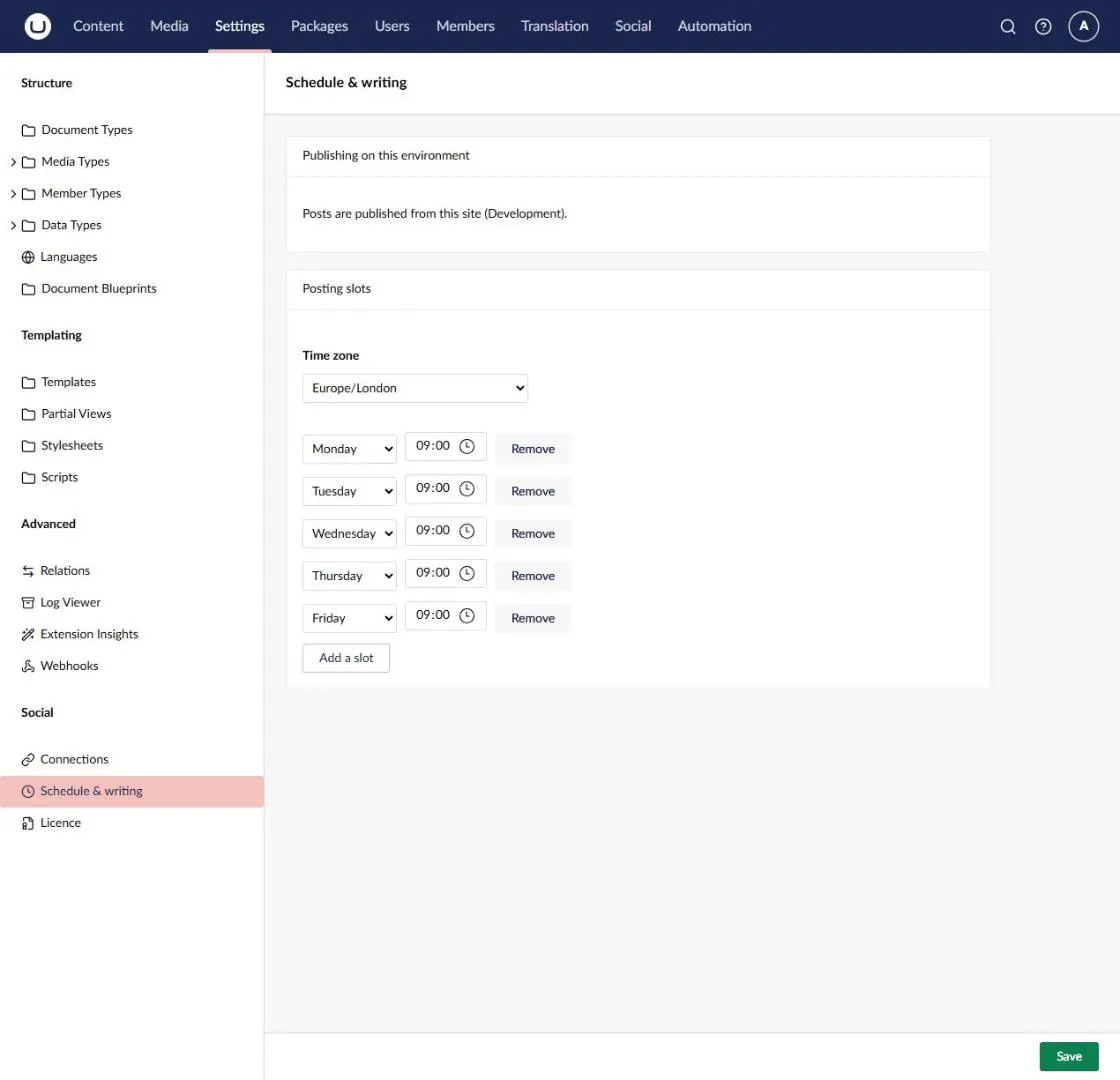
Change the slots in Settings › Social › Schedule & writing and Save from the footer bar. Each slot needs a time. Changing the schedule needs the ManageSettings permission. Seeing it needs View.
How the next free slot is chosen
Section titled “How the next free slot is chosen”- Social looks at the slots from now on, for up to 28 days ahead, and takes the earliest one that is still in the future and that no scheduled post has taken.
- One post per slot, whatever its channels. A slot is taken by any post (other than a draft) scheduled for exactly that time, including posts scheduled for that time by hand.
- When you edit a queued post and queue it again, its own slot counts as free.
- If no slot is free in the next 28 days, or the schedule has no slots, the post is refused with
schedule.no_free_slot. Add slots, or choose a specific time.
Time zone
Section titled “Time zone”Slots are in the schedule’s time zone, so 09:00 stays 09:00 local time when the clocks change. The default is Europe/London.
- Set the time zone in Settings › Social › Schedule & writing (ManageSettings). It is saved together with the slots: if either is refused, neither changes. Use an IANA id (such as
Europe/Paris) or a Windows id that the server knows. An unknown id is refused (settings.time_zone_unknown). - A slot that falls in the gap when the clocks go forward (for example 01:30 on that day in the UK) is skipped that day.
- Times for Specific time and every time the API returns are in UTC. Convert them to local time for display.
Webhooks
Section titled “Webhooks”The same page has Include post text in webhooks and Include the post’s author in webhooks: whether Social’s events in Umbraco’s webhooks carry the post’s text and who created it. Both are off by default and are saved with the schedule. See Webhooks.