
Saved Hashtags
With UmbSocial Pro licensed, your team can save the hashtags it uses again and again as hashtag groups, such as a “Product launch” group holding #launch #umbraco #NewRelease. Anyone writing a post can then insert a whole group from the composer in one step, instead of typing the tags out each time and risking a misspelling.
Manage your hashtag groups
Section titled “Manage your hashtag groups”Hashtag groups live under UmbSocial › Hashtags, in the UmbSocial section’s own sidebar next to Queue, Compose and Published. You don’t need access to Umbraco’s Settings section to manage them. You do need the Manage settings permission on your UmbSocial user group to create, change or delete groups. Writers with the Write permission can insert groups into their posts but can’t change them.
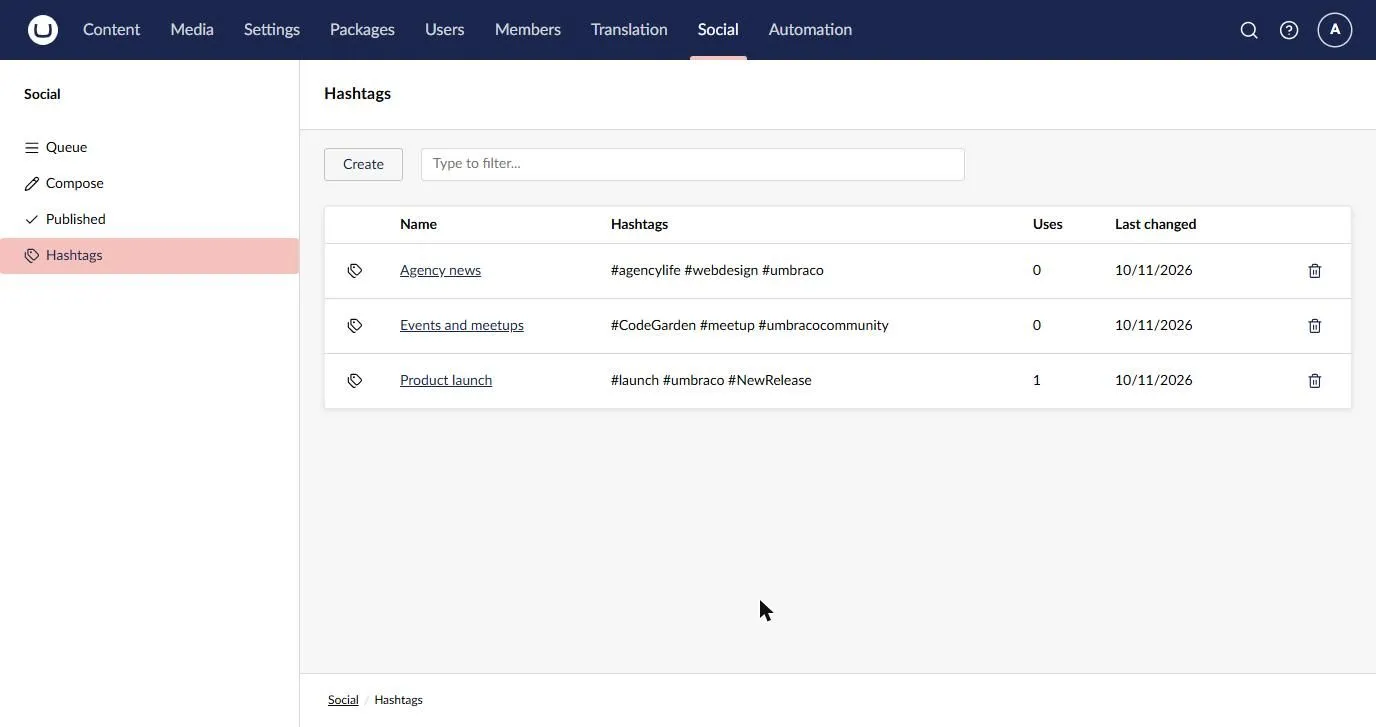
The list shows each group’s name and hashtags, how many times it has been inserted from the composer, and when it was last changed. Type in the filter box to find a group by its name or by one of its hashtags. Select a group’s name to open it, or select the bin icon on its row to delete it. You are asked to confirm before a group is deleted.
To add a group, select Create. Give the group a name at the top, add its hashtags, and select Save.
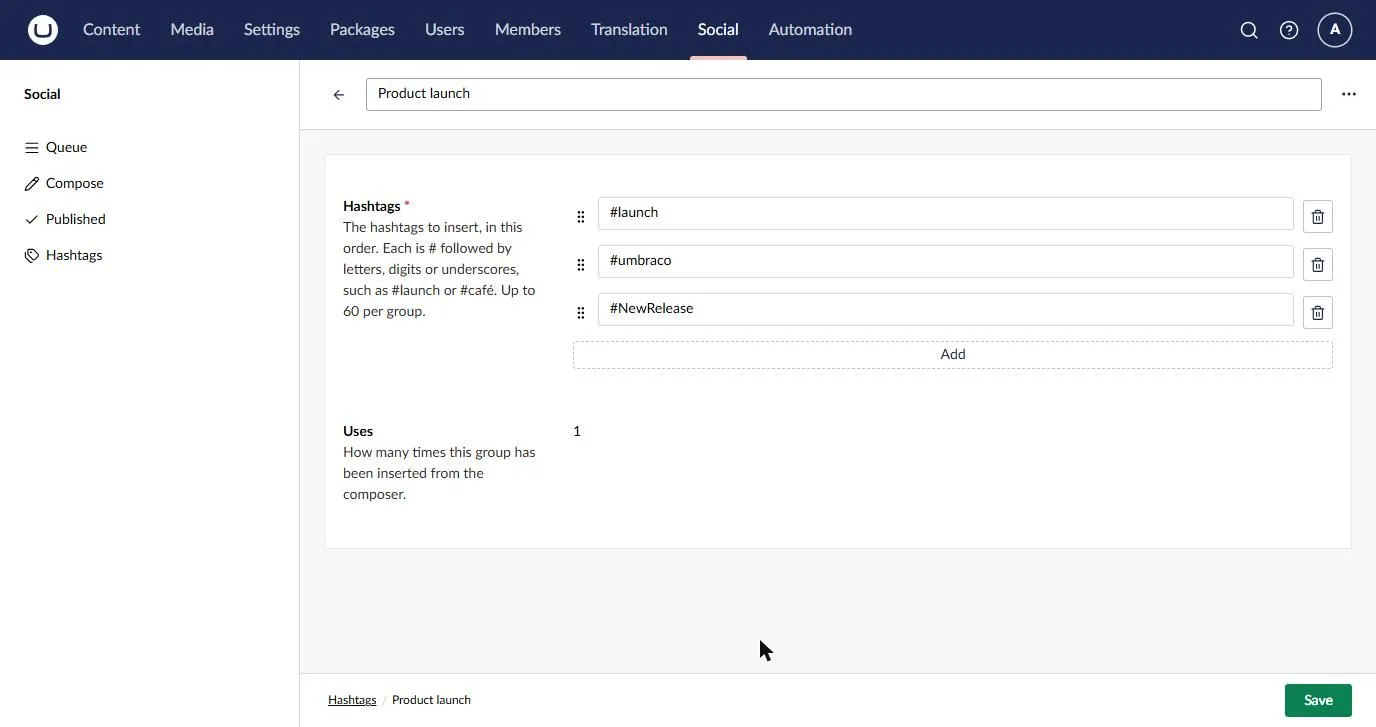
Each hashtag goes on its own row. Select Add for another row, drag a row by its handle to change the order, or use the bin icon to remove it. The hashtags are inserted in the order you give them here. The Uses row shows how many times the group has been inserted from the composer.
A group follows these rules:
- Its name can be up to 100 characters long, and no two groups can have the same name. Names are compared without regard to case, so “Product launch” and “product LAUNCH” count as the same name.
- It holds at least one hashtag and no more than 60.
- Each hashtag is a
#followed by a letter, and then by any mix of letters, digits, underscores and the accents and vowel signs that some languages write on top of a letter, up to 100 characters in all. There can be no spaces, punctuation or invisible characters. Letters from any language are allowed, so#café,#日本and#हिन्दीare all fine, but#web-designand#2026are not. If you leave out the#, it is added for you. - If you add the same hashtag twice, it is kept only once. Hashtags are compared without regard to case, or to how an accent was typed: an é typed as one character and an e followed by a separate accent count as the same letter.
These are the same rules the composer uses to recognise a hashtag, so every hashtag you save is highlighted and counted in the composer just as one you type yourself.
If something can’t be saved, a message tells you why, and the field it is about is marked. For example, choosing a name that another group already has marks the name, and a hashtag that breaks the rules is named under the list of hashtags.
Insert a group into a post
Section titled “Insert a group into a post”In the composer, place the cursor where the hashtags should go and select Hashtags at the top of the composer, next to Preview. A panel opens listing your hashtag groups. Type in the search box to find a group by its name or by one of its hashtags, select the group, and then select Choose. If you have more than 100 groups, the panel lists the first 100 and tells you how many there are in all, so type to search for the others.
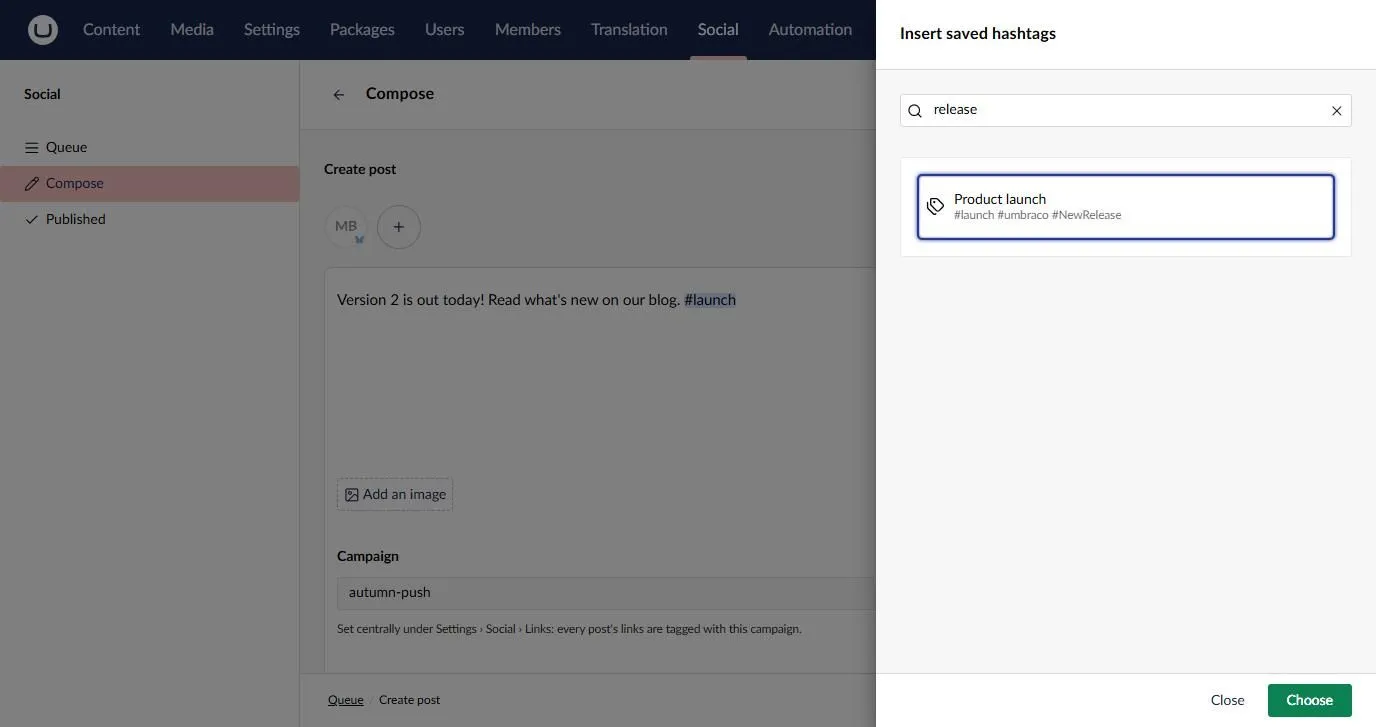
The group’s hashtags are inserted at the cursor, as a new word, in the order the group lists them. If you had a channel’s own text open, they go into that text instead of the main text. The character counts update straight away, just as they do when you type.
Hashtags that the text you are inserting into already contains are left out, so you never end up with the same tag twice. If you are in a channel’s own text, that text is the one checked, not the main text. For example, if your text already ends with #launch and you insert the “Product launch” group, only #umbraco #NewRelease are added. If the text already has every hashtag in the group, nothing is changed and a short message says so.
Each time a group’s hashtags are inserted, its Uses count goes up by one, so you can see which groups your team relies on.
Without a licence
Section titled “Without a licence”If UmbSocial isn’t licensed, your hashtag groups are kept exactly as they are, but UmbSocial › Hashtags and the composer’s Hashtags button are hidden, and the back office API refuses every request about hashtag groups. When the licence is valid again, everything comes back as it was.
The service behind them, IHashtagService, checks the licence itself as well: your own code finds no groups and is refused changes with licence.pro_required too.
For developers
Section titled “For developers”The groups are served by the management API under /umbraco/management/api/v1/umbsocial/pro/hashtags:
| Request | Permission | What it does |
|---|---|---|
GET /hashtags?filter=&skip=&take= |
Write | Returns a page of groups, ordered by name. The filter matches a name or a hashtag. |
GET /hashtags/{key} |
Write | Returns one group. |
POST /hashtags/{key}/uses |
Write | Counts one use of a group. |
POST /hashtags |
Manage settings | Creates a group from a name and a list of tags. |
PUT /hashtags/{key} |
Manage settings | Renames a group or replaces its hashtags. |
DELETE /hashtags/{key} |
Manage settings | Deletes a group. |
A refused request returns these codes in its problem details: field.required:name, field.too_long:name (over 100 characters), hashtag.name_taken, hashtag.tags_required, hashtag.too_many, hashtag.invalid:<tag> and hashtag.not_found. The name’s codes are the core’s own field codes, as templates and tags use.
UmbSocial Pro also publishes these notifications, which you can handle like any other Umbraco notification:
| Notification | When |
|---|---|
SocialHashtagGroupSavingNotification |
Before a group is created or changed. A handler can change the name or the hashtags, or cancel the save with a message, which the person sees as hashtag.cancelled:<message>. The changed group is checked against the rules after every handler has run. |
SocialHashtagGroupSavedNotification |
After a group has been created or changed. IsNew tells you which. |
SocialHashtagGroupDeletingNotification |
Before a group is deleted. A handler can cancel the delete with a message. |
SocialHashtagGroupDeletedNotification |
After a group has been deleted. |